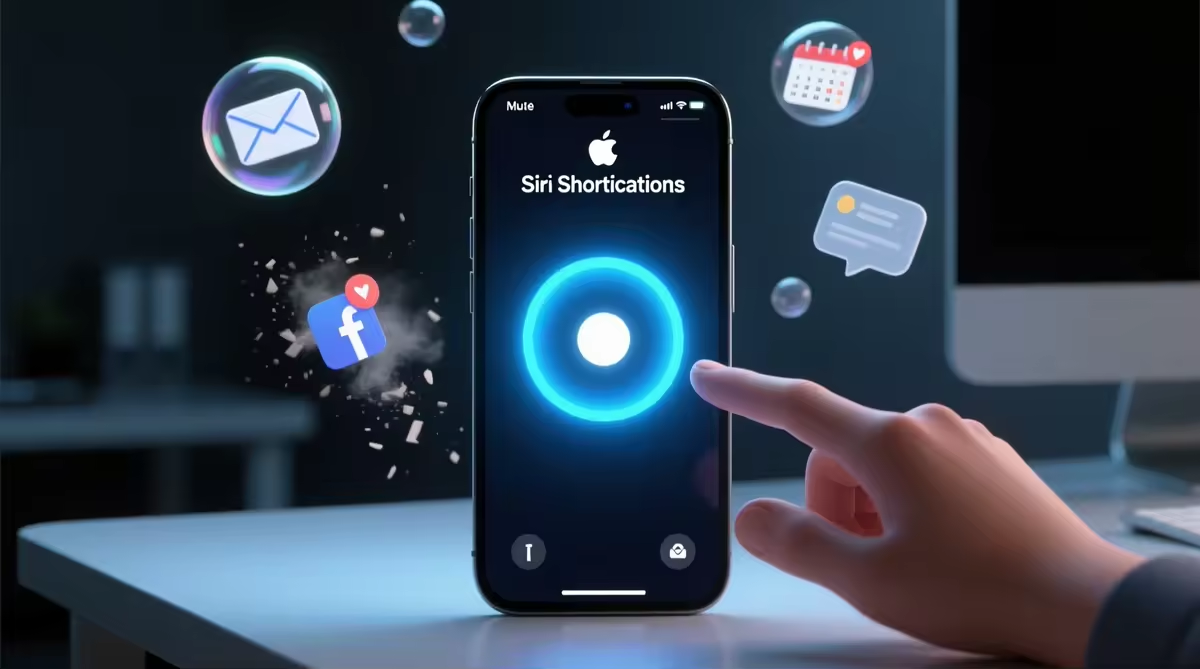
If you are a user of an Apple product, then you have heard about this amazing new update that will present a game-changing application called Shortcuts. This alters the game for the applications used on the platform. The new addition by Apple is called Shortcuts. Shortcuts are quick actions in apps in the iOS system. The actions can be automatically performed in the background or can explore the app to pull up something that you may want.
There are certain trigger words that it is believed to respond to. This will enable a more personalized Siri. What is great is that Apple makes it possible to connect Shortcuts with third parties. There are a number of big applications that have synced up with Shortcuts. For example, the popular to-do list “Things” will remember your agenda if you check your list daily on the same day. This designated time will be automatically placed as a shortcut on the lock screen of the app. All you need to do is tap to open up the app.
Explain about Siri Shortcuts
Once the iOS 12 update is installed on your iPhone, iPad, or iPod Touch, you’ll access Shortcuts by doing the same actions you do to access your other apps. The process is the same, except that the actions will be stored in Shortcuts, giving it a more convenient and quick way to initiate the tasks.
Shortcuts use code to activate the task you’re interested in achieving in the background so you don’t have to have the app open in the foreground. Shortcuts are enabled by tapping an icon button that was created in different places on iOS or by voice activation when you use Siri.
Shortcuts let you quickly access previous messages, files, recently visited places (folders, music or any other actions you take regularly), pre-filled context from online forms or any other action that you take regularly, and more of its capabilities.
In iOS 12, the shortcuts have three designated homes to look for: in the As suggestions section that correlates the shortcuts to the actions that you take in the apps that you use the most. By accessing Siri, the vocal command to activate Siri will “speak” to the apps frequently used and create shortcuts. Finally are custom-made shortcuts that are included in the Shortcuts application.
Your first encounter with Shortcuts will be through your lock screen, Spotlight, or Siri face on Apple Watch. When activated, the suggested shortcuts will then be presented to you frequently if iOS “thinks” that you use them often and recently. This application is free of security problems; all information is stored and can only be accessed by you and the system. It’s a process that’s automatic.
If you are using the voice activation tool, you can activate it by using your personalized trigger phrases, which can make it easier for Siri to recognize your voice. This is being developed for Apple Watch, CarPlay, and HomePod.
Suggested Practical Shortcuts
You’re trying to customize Shortcuts to serve you, but sometimes there are shortcuts that can be beneficial that you don’t think of because it doesn’t pop into the back of your mind. This is a one-time requirement to get the most from the Shortcut suggestions; the user will have to use their apps with iOS 12. After the addition of the Shortcut system, the system will start to automatically generate suitable actions for the activities performed in the Shortcut app to simplify life.
Shortcuts is based on actions that you perform within the app. So, it might require you to return to the latest application and execute an action that you would normally do, in order to remember.
Once an action is taken in an app that Shortcuts can perform, Shortcuts will work in the background. Then, the system will recommend the Shortcuts. When on the Home screen, to search for something from the Spotlight toolbar, you will start seeing one-tap buttons to perform from the memorized actions you did either on the lock Screen or when you swipe down.
These shortcuts can be simplified – incredible. A way to make Siri Shortcuts more useful is by enforcing simplicity. You can, for instance, choose a ‘contact this person’ from your most recent text hub when you swipe down.
This particular portion of the shortcuts that activates Siri’s evolution. Siri can recognize the activities that you did and will display them as shortcuts; therefore, opening the actual application is not needed. It’s no longer necessary. The app gets easier to work with, more powerful and useful, so that voice commands are second nature.
Shortcuts and Custom Voice Commands
After enough actions have been delegated, the system creates shortcuts. This will be available if you go to Settings > Siri, and then select Search > add custom voice commands. This can be done for any Shortcuts that you wish Siri to remember and perform the action at a later time.
Once you view the action that you are interested in creating a shortcut for, simply press on it or add the button next to the action pop-up, and you’ll be taken to another section to say your command. Your voice command will be stored and appear in the Shortcuts list. Once that is completed, simply say your command to Siri and the app will open.
This is a great feature because your voice can now control Siri again, but this time it’s to shorten the time it takes you to open an app and perform the same actions you do every day. You don’t need to wait for Siri to understand what to do based on your activities; you can make up your own phrases to have those activities performed. This will enable you to make your phone perform exactly what you want.
The security measures that are taken for the application on your device are solely for you and your device only. The OS app will be able to detect what you’re doing and will only share it with the system, and will have very clean and strict rules in place that the iOS will follow to return the appropriate action back to you when you create the shortcut. Siri only goes as deep as the shortcut will go to connect to the action that’s performed in the app in order to carry out that action.
How Can Shortcuts Be Put to Good Use Right Now
The fact that shortcuts are already in existence on Apple devices is really impressive. There are no extra hoops to go through in order to use this feature. As previously mentioned, it’s a new function that will support iPad, HomePod, and CarPlay. It allows for all voice commands to be set up across all boards without hassle.
One thing that was missing, of course, was the Apple Watch. This is because it will be using its own version of Shortcuts with its own support. Shortcuts are still possible, just like the other devices; via Siri from the watch face or by voice. The Apple Watch also has the capability to have the tasks conclude in the background and have them memorized.
It can help here due to the simplicity of the design. Having actions performed without having to do them manually, and they are available on the Apple Watch. This will be beneficial for Apple Watch due to the ease of access that it will offer to its users. So, you can control your watch with your phone, or now you can be in full control just with your watch. What a great tool!
Shortcuts for the App
On to the more facts about the app that is designed to make dealing with your devices easier. The first set of features developed for Shortcuts are already saved and available for the developer betas area, which means users with Apple devices can tweak Siri right away.
There is no limit to Shortcuts, and it’s quite remarkable how much developers went to work to ensure that they would deliver on the customization part of this app. The app enables a multi-dimensional step process, which we can’t see, but it does it flawlessly.
If you recall the Workflow acquired by Apple last year, it’s sufficiently similar to Workflow’s blueprint that many users will recognize certain similarities and differences that will prove how well it can stand alone and be a powerhouse on its own. The one and only difference between Workflow and Shortcuts is the ability for Shortcuts to run in the background. This capability works without effort in the background, and you will not see the actual process working.
When you reach home, you can set up a shortcut for the app to automatically turn your house lights on, play music (if that’s your thing), or send off a dinner message, depending on what it is — just by uttering your custom voice command, Apple said.
This spectacular is still available for some to use, but after a waiting period. That’s the only flaw, but there is plenty more to be excited about with the Shortcut app. There is limited accessibility for testers; developers are still trying to work out the kinks and bugs that can arise right after launch.
Shortcuts for All Apple Products
It was briefly touched on that Shortcuts work on every Apple device that runs iOS 12. When it came to integrating the app, Shortcuts gave users that have ownership of Apple products that support the app were kept in mind.
The mundane tasks that are repeated over and over on the devices led developers to come up with a useful and up-to-the-minute idea. People are already using Siri for simple requests like asking questions or for facts for a debate, but now it’s time for anything. Giving the possibility to use a voice assistant to control the majority of everything within the range of your device. This is how Siri Shortcuts will ensure that Siri comes in handy.
Adrian Rubin fell in love with creative writing, photography, and traveling. He also volunteers at an animal shelter near his home in Philadelphia, but he has an interest in the tech world we live in, too.